
 Sign up
Automated testing
Forms, redirects, checkout flows, dashboards and UI states.
Use proxies as the network layer for managed browser tests, rendering, screenshots, localization QA, CI checks and development workflows across Puppeteer, Playwright and Selenium.
Run Playwright, Puppeteer and Selenium workflows through a reliable proxy layer. Test localization, rendering, screenshots, QA checks and CI pipelines from real regions without rebuilding your browser stack.
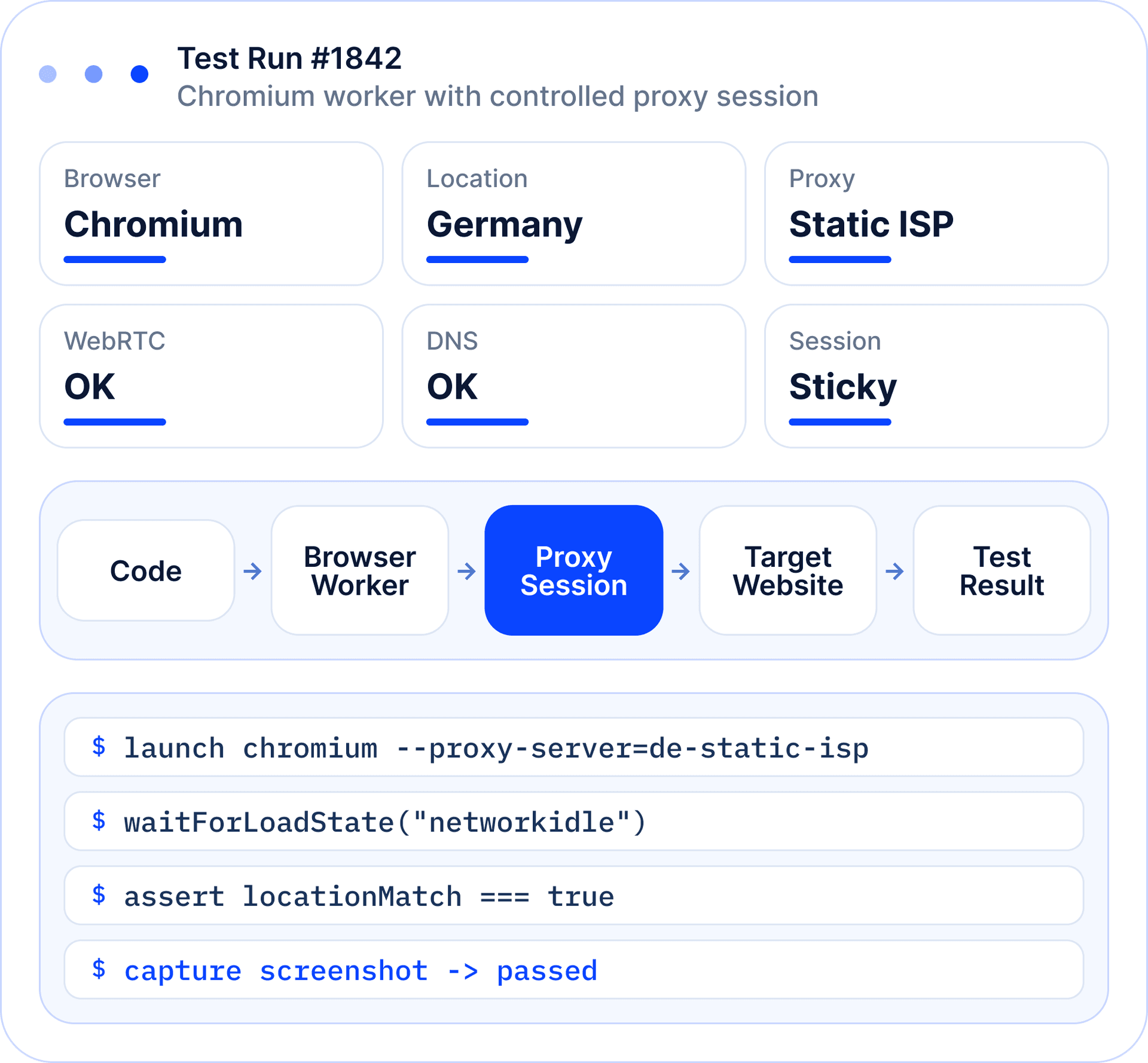
A developer-facing grid that keeps the page focused on QA, rendering, localization, screenshots, CI checks and proxy integration testing.
Forms, redirects, checkout flows, dashboards and UI states.
JavaScript-heavy pages, dynamic content, screenshots and page states.
Language, currency, legal pages, redirects and local content.
Check how websites behave from different countries and regions.
Evidence for QA, monitoring, reports and bug tracking.
Rendered page data when simple HTTP requests are not enough.
Check auth, rotation, sticky sessions and DNS.
Run automated browser tests after deploys.
Browser automation is code plus browser configuration plus session state plus network path. Proxy Layer is one controlled layer inside a bigger stack.
A useful education block for QA and developer teams: the mode changes how tests run, but both still depend on configuration and network path.
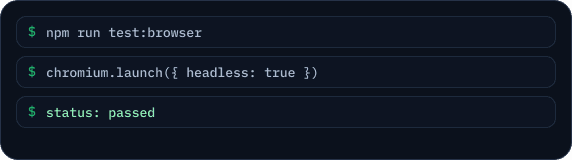
Runs without visible UI. Best for CI pipelines, background checks, screenshots, monitoring and scalable automation.
Runs with visible browser UI. Best for debugging, manual review, complex flows and visual validation.
A market scenario moves through browser and locale configuration, the proxy layer, website access, validation, evidence capture and reporting. Each step makes a regional result reproducible and useful for QA.
Market & scenario
Browser & locale
Proxy layer
Website / app
Content & layout
Redirects & availability
Evidence
Report
Start with a precise market, city, language and test goal. This baseline makes every following regional result comparable and easy to reproduce.
Target market
Germany · BerlinLocale & currency
de-DE · EURScenario
Checkout & deliveryProxies do not replace Playwright, Puppeteer, Selenium, browser profiles, test runners or QA logic. They control the network layer: which IP sends the request, from which location, with what session behavior and how workers are separated.
The page should speak like a QA/devops console: session breaks, location mismatch, WebRTC, DNS, timing and worker conflicts are all visible problems.
IP changes during a form, cart or dashboard flow.
Website shows wrong language, currency, catalog or redirect.
Browser exposes network info outside the proxy path.
DNS requests do not follow the intended proxy route.
Browser config does not match network location or device context.
Selectors appear late; pages need waits, retries and rendering logic.
Multiple browser workers share bad sessions or collide by IP.
Fast cheap IPs are used where stable ISP-like sessions are needed.
SEO-friendly cards that still look like developer docs: code preview, browser engine context and recommended proxy badges.
Run Chrome/Chromium automation for screenshots, rendering, scraping, QA and browser workflows.
OK puppeteer.launch({ proxy })OK await page.screenshot()Automate Chromium, Firefox and WebKit with controlled proxy routing for testing and data collection.
OK chromium.launch({ proxy })OK await page.screenshot()Run cross-browser tests and stable browser sessions with proxy configuration.
OK new ChromeDriver(options)OK await page.screenshot()Verify the environment before trusting a browser run. Each group controls a different source of drift: emulation, network identity and repeatable evidence.
Choose Residential for regional content checks, Static ISP for stable sessions, Mobile for mobile-first experiences and Datacenter for fast public checks and custom tools.
Fast and cost-effective routes for gaming-related websites, public page checks, dashboards and custom scripts.
BEST FORFlexible location-aware access for regional content, streaming availability pages and consumer web workflows.
BEST FORStable IPs for browser profiles, account-based sessions, community tools and repeated regional checks.
BEST FORMobile network context for app-like flows, mobile media pages and regional mobile QA.
BEST FORMetrics make the page feel like infrastructure: success rate, leak status, render time, worker throughput and proxy error rate.
This block gives the page enterprise motion: deploy, run browser checks from multiple regions, capture screenshots and alert the team.
After every deploy, run browser checks from US, DE and UK.
Capture checkout, pricing, login and landing page screenshots.
Alert the team if a redirect, layout or payment flow breaks.
Browser automation proxies are proxies used with automated browsers, headless browsers, QA tools, and testing frameworks such as Puppeteer, Playwright, Selenium, and anti-detect browser environments. They route browser traffic through different IP addresses and locations. This helps test websites, workflows, and localized user experiences more realistically.
Automated browsers need proxies when they must test from different locations, avoid relying on one IP address, or run parallel sessions with separate network identities. Without proxies, many browser automation tasks come from the same source IP, which can cause rate limits or inaccurate regional results. Proxies are especially useful for QA testing, web scraping, and localization checks.
The best proxies for Puppeteer and Playwright depend on the target website and test type. Residential proxies are usually better for protected websites and location-sensitive tests, while datacenter proxies can work for simple QA or high-speed internal checks. Sticky sessions are useful when a browser flow needs cookies, login state, or multi-step navigation.
Yes. Proxies can be used with Selenium to test websites from different IP addresses, countries, cities, or network types. This is useful for localization testing, form testing, pricing checks, search result validation, and regional QA. The proxy setup should match the browser profile, session length, and test scenario.
Rotating proxies are good for browser automation when each test or browsing session can use a separate IP address. However, very fast rotation can break flows that rely on cookies, authentication, carts, or multi-step navigation. For browser automation with session logic, sticky residential proxies are often more stable than per-request rotation.
For headless browsers, the best proxy settings depend on whether the task is crawling, testing, or account-based navigation. Large crawling jobs often use rotating proxies, while login flows and checkout tests usually need sticky sessions. Browser fingerprint, headers, cookies, viewport, and JavaScript behavior should also match the test goal.
Yes. Proxies help QA teams test websites from different regions, verify localized content, check redirects, compare prices, test forms, and validate user flows. They also help find bugs that only appear in specific countries or network conditions. This makes proxies useful for web QA, localization QA, and browser automation testing.
Yes. Proxies are useful for parallel browser sessions because each session can run through a separate IP address or location. This helps isolate tests, reduce cross-session interference, and simulate users from different markets. For stable results, each session should use consistent proxy, cookie, and browser profile settings.
No. Proxies do not make browser automation undetectable. Websites can also evaluate browser fingerprint, automation signals, JavaScript behavior, timing, cookies, headers, and user interaction patterns. Proxies help with the network layer, but reliable automation also requires clean browser configuration and realistic behavior.
Choose residential proxies for protected websites, location-sensitive workflows, and realistic regional testing. Choose datacenter proxies for simple, high-speed QA on less protected websites. Use sticky sessions for logins and multi-step flows, and rotating proxies for large-scale crawling or independent browser sessions.
Start with a proxy setup matched to your browser framework, target regions, session model and CI workflow.
Check Eligibility